Table of Contents
Invoice Automation with Invoicing Software: How Quote and Invoice Tools Help Sole Traders Get Paid Faster and Streamline Business
Short summary:
If you run a service business, trade business, or work as a sole trader, you already know that creating every invoice manually eats into your day. Chasing payments, fixing mistakes, and handling admin slows growth and hurts cash flow. This guide explains how invoicing software and automation transform the quote and invoice process, how you can save time, create professional invoices, and get paid faster, and why platforms like WorkDash make invoicing and accounting simpler without being an ERP. If you want fewer admin headaches and faster payments, this article is worth reading.
Article Outline
Why Is the Invoice Process Still a Big Problem for Small Business and Sole Traders?
What Is Invoicing Software and How Does It Automate Quotes and Invoices?
How Does Automation Help You Save Time and Reduce Admin Work?
How Can You Get Paid Faster with Online Payments and Payment Reminders?
How Do Templates and Professional Invoices Improve Your Business Image?
How Do Recurring Invoices and Automatic Billing Improve Cash Flow?
How Does Integration with Accounting Software Like Xero Simplify Tax Time and BAS?
How Can You Create and Send Invoices on the Go with Mobile and Online Invoicing?
What Features You Need in Invoicing Software for Small Businesses and Trade Businesses?
Why WorkDash Is Designed for Sole Traders and Service Businesses That Want to Streamline Invoicing
1. Why Is the Invoice Process Still a Big Problem for Small Business and Sole Traders?
For many small business owners and sole traders, the invoice process is still surprisingly manual. Even today, people are copying details into spreadsheets, using basic templates, or writing invoices from scratch. This takes time, increases errors, and adds unnecessary admin to already busy days. When you’re focused on delivering work, admin tasks like invoicing often get pushed to the end of the day—or the end of the week.
The biggest issue is not just creating the invoice, but managing everything around it. You have to create and send invoices, track who has paid, send a reminder to late payers, issue a receipt, and update your records for your accountant. Each step adds friction. Over time, this slows down your business, hurts cash flow, and makes it harder to focus on running your business.
This is exactly why invoicing software exists. Instead of treating invoicing as a separate chore, modern management platforms like WorkDash bring invoices and quotes into the same workflow as your jobs and projects. The result is fewer mistakes, less admin, and a smoother invoicing process that supports growth instead of blocking it.
2. What Is Invoicing Software and How Does It Automate Quotes and Invoices?
Invoicing software is a type of accounting and billing tool designed to help you create invoices, send invoices, track payments, and manage receipts in one place. Instead of manually typing each invoice, the system uses a template, your saved customer data, and your job details to generate professional invoices in seconds. This is where automation starts to make a real difference.
With automation, you can set up your quote and invoice workflow so that once a job is approved, the system can prepare the invoice automatically. Some platforms even support auto invoicing, where recurring jobs or regular services generate invoices automatically without extra clicks. This removes repetitive admin and ensures every invoice follows the same professional and consistent format.
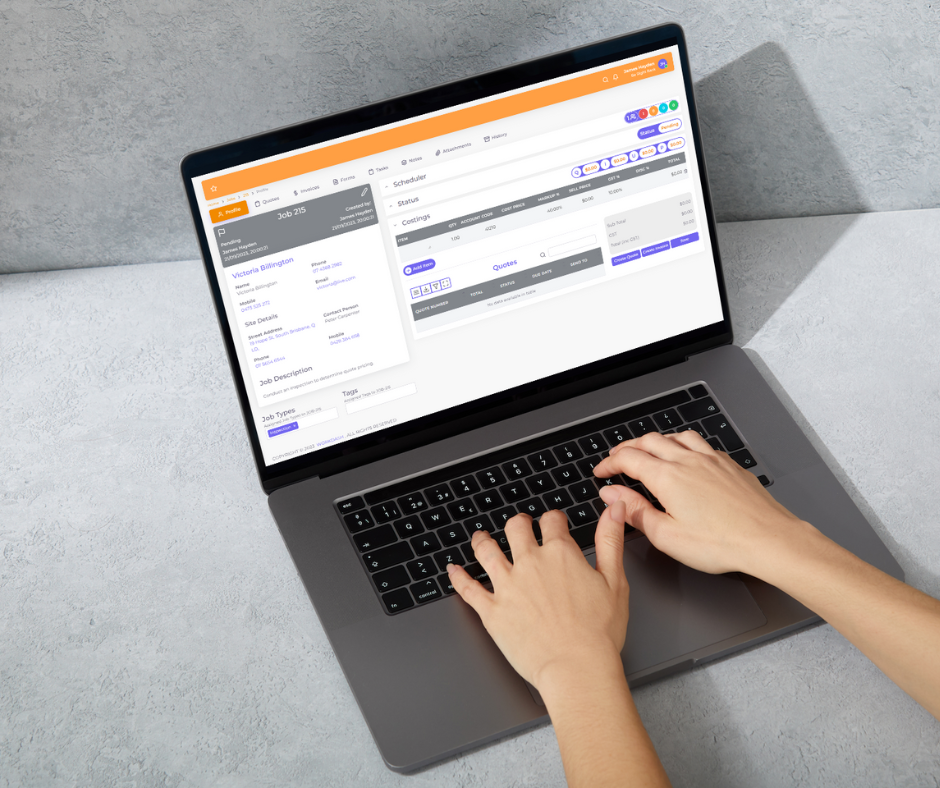
WorkDash takes this further by connecting quoting, job management, and invoicing in one business management platform. It is not an ERP, but a practical system that helps service businesses streamline their quoting and billing. By using invoicing software as part of a bigger workflow, you get faster billing, fewer mistakes, and better control over your finances.
3. How Does Automation Help You Save Time and Reduce Admin Work?
One of the biggest promises of automation is simple: save time. When you automate parts of your invoicing process, you remove repetitive manual steps that don’t add value. Instead of retyping customer details, prices, and payment terms, the system reuses existing data and generates the invoice for you.
This also reduces admin pressure. Your admin workload drops because you no longer need to chase documents, check spreadsheets, or manually update records. With invoicing software, you can track invoices, see what’s paid and unpaid, and send a reminder with a few clicks. This makes a big difference for small business owners who don’t have a dedicated admin team.
Over time, this kind of automation frees you up to focus on running your business. Whether you are a trade business, consultant, or service provider, less time on admin means more time delivering value, finding new clients, and improving your services.
4. How Can You Get Paid Faster with Online Payments and Payment Reminders?
Creating an invoice is only half the job—the real goal is to get paid faster. This is where online payments and payment reminders make a huge difference. Instead of sending a PDF and waiting for a bank transfer, modern systems allow customers to pay directly from the invoice using card or debit options.
When you include online payments in your invoices, you remove friction for your customers. They don’t need to log into their bank or write a cheque—they can pay instantly. This is why many businesses see a big improvement in cash flow once they switch to online invoicing software and connected payment tools like Stripe.
Automatic payment reminders also play a key role. Instead of awkward phone calls or manual emails, the system can send polite reminders when an invoice is overdue. This keeps your payments moving without damaging relationships, and it helps ensure every invoice gets the attention it deserves.
5. How Do Templates and Professional Invoices Improve Your Business Image?
Your invoice is not just a request for payment—it is part of your brand. A messy or inconsistent invoice sends the wrong message to customers. This is why templates and customisation matter so much in modern invoicing software.
With a good template, you can add your logo, customise colours, personalise messages, and ensure every invoice looks professional. This creates a consistent experience for your customers and reinforces trust in your business. Professional invoices also make it easier for customers to understand what they are paying for, which reduces disputes and delays.
WorkDash supports customisable invoicing features that help service businesses create professional quotes and invoices that match their brand. When every invoice looks polished and clear, you strengthen your reputation and improve the overall customer experience.
6. How Do Recurring Invoices and Automatic Billing Improve Cash Flow?
For many service businesses, work is not one-off. You might bill monthly maintenance, subscriptions, or ongoing services. In these cases, recurring invoices are a powerful tool. Instead of creating the same invoice every month, you can set up automatic billing once and let the system handle the rest.
This approach ensures invoices go out on time, every time. There are no forgotten bills, no delays, and no gaps in revenue. Over time, this creates more predictable cash flow and makes financial planning much easier.
Automatic billing also reduces admin stress. You don’t need to remember when to send each invoice—the system does it for you. This is another example of how invoicing software turns a manual process into a reliable, scalable system.
7. How Does Integration with Accounting Software Like Xero Simplify Tax Time and BAS?
Invoicing does not exist in isolation. It connects directly to your accounting software, your accountant, and your tax obligations. This is why integration is so important. When your invoicing system is connected to tools like Xero, your financial data flows automatically between systems.
This means your accountant always has up-to-date records, your reports are more accurate, and tax time becomes far less stressful. BAS reporting, expense tracking, and revenue summaries are easier when your invoices and payments are already in your accounting software.
WorkDash is built with integration in mind, helping service businesses connect their invoicing and accounting workflows without juggling multiple software tools. This reduces errors, saves time, and keeps your finances organised all year round.
8. How Can You Create and Send Invoices on the Go with Mobile and Online Invoicing?
Modern businesses are not tied to a desk. You might be on-site with a customer, in your car, or between jobs. This is why online invoicing and mobile access are so valuable. With the right system, you can create and send invoices on the go, right after the job is done.
This speed has a direct impact on how quickly you get paid. The sooner the invoice is sent, the sooner the customer can pay. Some businesses even issue the receipt on the spot, creating a smooth and professional experience.
WorkDash includes mobile-friendly tools and a companion app approach that supports service businesses in the field. Whether you are finishing a job or approving a quote, you can keep your invoicing moving without waiting to get back to the office.
9. What Features You Need in Invoicing Software for Small Businesses and Trade Businesses?
Choosing the right invoicing software is about more than just price. You need features that match your business model and support growth. For small business invoicing software, this usually means easy setup, simple templates, online payments, and strong automation.
Key features you need include the ability to create invoices quickly, track invoices, send payment reminders, manage receipts, and handle recurring invoices. For trade businesses and service businesses, it also helps to connect invoicing with project management tools, time tracking, and job management.
WorkDash focuses on these real-world needs by combining invoicing with job and project workflows. Instead of using multiple software tools, you get one platform that helps you manage your business from quote to payment.
10. Why WorkDash Is Designed for Sole Traders and Service Businesses That Want to Streamline Invoicing
WorkDash is not an ERP. It is a business management platform designed for sole traders, service businesses, and growing teams who want simplicity without losing power. Its invoicing and accounting features are built to reduce admin, improve cash flow, and support better decision-making.
With WorkDash, you can handle quotes, jobs, invoices, and payments in one place. You can use automation to send invoices automatically, set up payment reminders, and keep your records organised. You can also integrate with accounting software, accept online payments, and create professional invoices that reflect your brand.
For thousands of businesses, this approach means less time on admin and more time on growth. If your goal is to streamline your quoting and invoicing, save time, and get paid faster, WorkDash gives you the tools to do exactly that.
Key Takeaways: What to Remember
The invoice process is a major source of admin for small business and sole traders.
Invoicing software helps automate quotes and invoices and reduce manual work.
Automation helps you save time and focus on running your business.
Online payments and payment reminders help you get paid faster and improve cash flow.
Templates and customisation create professional and consistent invoices.
Recurring invoices and automatic billing make income more predictable.
Integration with accounting software like Xero simplifies tax time and BAS.
Mobile and online invoicing let you create and send invoices anywhere.
The right features matter for service businesses and trade businesses.
WorkDash is a business management platform, not an ERP, built to streamline invoicing and help you manage your business.