Table of Contents
WorkDash Management Software for Productivity: A Comprehensive Guide to Job Management, Business Management, and Streamlining Field Service Operations So Your Team Runs Smoothly
Short summary:
Running a modern service business means coordinating office staff, field teams, schedules, invoices, and customer expectations—without losing time to admin chaos. This comprehensive guide shows how to use WorkDash to streamline field and office operations, using practical steps, real-world workflows, and proven management software patterns. You’ll learn how to streamline job management, automate routine tasks, get real-time visibility, improve customer satisfaction, and keep your field service team and office aligned—so your operation truly runs smoothly and scales with confidence.
Article Outline
Why Streamlining Matters: How Can WorkDash Improve Productivity Across Daily Operations?
How Does WorkDash as Management Software Unify Workflow and Business Management?
How Do You Manage Jobs Better with a Job Management System and Task Management Tools?
Can You Automate Field Service Management Software Without Losing Control?
How Do Real-Time Updates Keep Field Teams and Office Staff Aligned?
How Do You Streamline Financial Management with Invoices, Accounting Software, and Cash Flow?
How Does Inventory Management and Workforce Management Reduce Delays?
Why Seamless Integration Matters: How to Integrate Tools and Streamline Processes?
What Do Real Users Say and Which Practical Tips Actually Work?
How to Implement WorkDash Step by Step to Transform Your Business Operations?
1. Why Streamlining Matters: How Can WorkDash Improve Productivity Across Daily Operations?
Every service business reaches a point where growth creates friction. More jobs, more customers, and more team members often mean more admin and more chances for mistakes. The goal is to streamline daily operations so the business can handle volume without burning out the team. This is where management software becomes essential rather than optional.
WorkDash helps boosting productivity by bringing structure to the workday. When tasks, schedules, and communication live in one place, teams save time, avoid duplicated effort, and respond faster. The result is higher productivity and better customer satisfaction, because fewer things fall through the cracks. With real-time visibility and shared workflow, managers can make informed decisions instead of reacting to surprises.
Most importantly, streamlining isn’t about cutting corners—it’s about simplify how work moves. By using the right tools and right tools and technology, teams can spend less time on admin and time to focus on service. This is how WorkDash ensuring your business runs efficiently today and stays ready as the business grows.
2. How Does WorkDash as Management Software Unify Workflow and Business Management?
At its core, WorkDash is management software designed to connect people, processes, and information. It’s not an ERP; it’s a business management software platform built for service businesses that need clarity without complexity. When your tools are scattered, your team’s attention is scattered too. WorkDash unifies your workflow so everyone works from the same source of truth.
This unified approach supports business management by aligning planning, execution, and reporting. With shared management tools, leaders can identify areas for improvement, make informed decisions, and provide valuable insights to the team. That’s how organizations significantly improve outcomes without adding layers of bureaucracy.
WorkDash offers a range of features that help teams stay organised and focused. From task management to reporting, the platform is software designed to handle real-world service operations. This single environment helps teams streamline your workflows and maintain overall efficiency across departments.
3. How Do You Manage Jobs Better with a Job Management System and Task Management Tools?
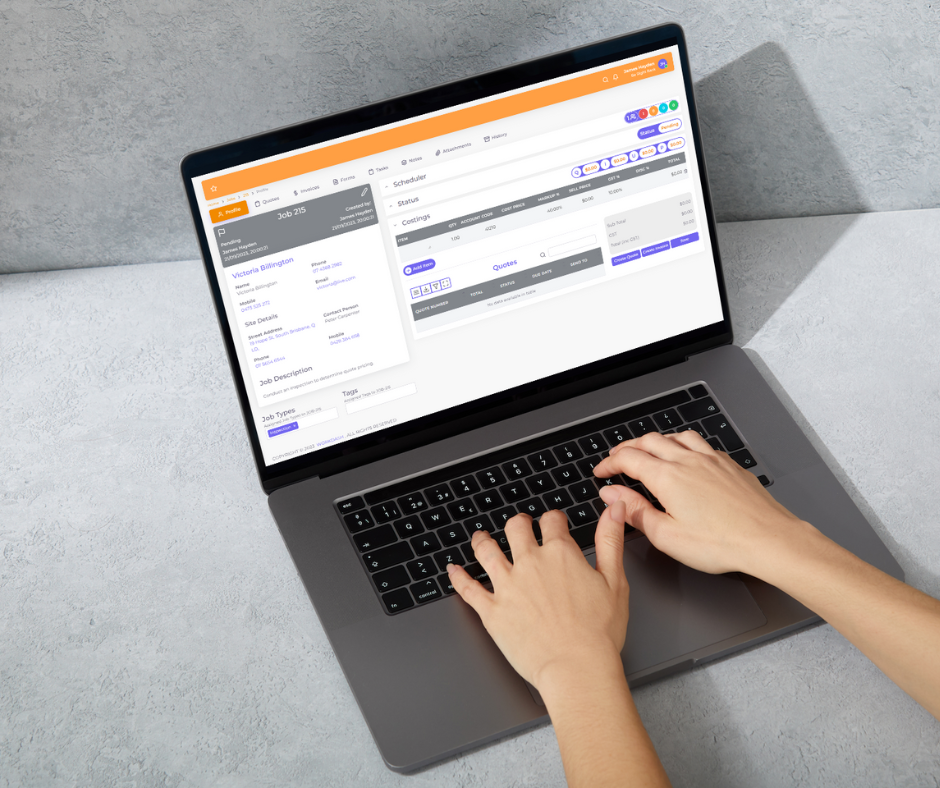
Strong job management is the backbone of reliable service delivery. A clear job management system ensures that every task is created, tracked, and completed in the right order. With WorkDash, teams can manage jobs in a structured way, using task management and task management tools to break work into clear steps.
This structure improves productivity because responsibilities are visible and priorities are clear. Managers can assign work, assign tasks to the right people, and monitor progress without micromanaging. With real-time views of status, teams can keep your team aligned and focused on what matters most.
WorkDash supports streamline job management by keeping job details, notes, and updates in one place. This reduces handoffs, cuts confusion, and helps the field service team deliver excellent service consistently—whether they’re in the office or on site.
4. Can You Automate Field Service Management Software Without Losing Control?
Yes—and that’s exactly where modern field service management software shines. The goal is to automate routine steps while keeping oversight where it matters. With WorkDash, teams can automate tasks like notifications, status changes, and follow-ups, while still retaining approvals and checks for critical steps.
Automation improves workflow because it removes delays between steps. When a job status changes, the next action can trigger automatically, and stakeholders receive real-time updates. This keeps work moving and reduces the risk of forgotten steps, which directly improves customer satisfaction.
Importantly, automation doesn’t mean “set and forget.” WorkDash provides provide real-time updates and dashboards so leaders can intervene when needed. This balance—automate what’s repetitive, review what’s important—is how teams improve overall efficiency without losing control.
5. How Do Real-Time Updates Keep Field Teams and Office Staff Aligned?
Misalignment between field teams and office staff is one of the biggest causes of delays and rework. The fix is real-time information. When everyone sees the same status at the same moment, coordination becomes simpler and faster.
WorkDash uses real-time updates to keep schedules, tasks, and notes current. This means a field technician’s progress is visible to dispatch, and an office change is visible to the technician—instantly. That shared context improves customer satisfaction because promises match reality and responses are quicker.
With this level of visibility, field service managers can make informed decisions throughout the day. They can reassign work, adjust priorities, and keep your team productive—without a chain of phone calls. The outcome is smoother daily operations and fewer surprises.
6. How Do You Streamline Financial Management with Invoices, Accounting Software, and Cash Flow?
Operational excellence must connect to money. To streamline finances, your operations should flow naturally into billing and reporting. WorkDash supports financial management by connecting jobs to invoice creation and reporting, helping teams protect cash flow and speed up billing cycles.
When paired with accounting software, the process becomes even stronger. You can integrate job data with accounts, generate financial reports, and track improving cash flow without retyping numbers. This reduces errors and helps teams save time at month-end.
A streamlined financial workflow also improves customer satisfaction. Clear invoices, timely billing, and accurate records build trust. With WorkDash, finance is not a separate afterthought—it’s part of the same business management rhythm that keeps operations healthy.
7. How Does Inventory Management and Workforce Management Reduce Delays?
Delays often come from missing parts or unavailable people. That’s why inventory management and workforce management matter to service operations. When you know what you have and who’s available, planning becomes realistic instead of optimistic.
WorkDash helps teams coordinate resources so jobs don’t stall. With visibility into people and materials, managers can schedule work that fits reality. This improves productivity and helps teams free up time that would otherwise be lost to rescheduling and chasing updates.
By aligning people, parts, and plans, WorkDash supports overall efficiency. Teams stay on top of commitments, and customers experience more reliable service—another direct win for customer satisfaction.
8. Why Seamless Integration Matters: How to Integrate Tools and Streamline Processes?
No business runs on one tool alone. The difference is whether those tools talk to each other. Seamless integration means your systems share data so teams don’t repeat work. With WorkDash, you can integrate with key platforms like accounting software and other management tools.
This connected setup helps streamline processes and processes and improve visibility. For example, when a job is completed, billing and reporting can update automatically. That reduces admin and ensures everyone works from the same information.
The result is seamless integration across departments and fewer gaps in execution. It also supports service businesses that want to scale without piling on complexity—keeping systems simple, reliable, and aligned.
9. What Do Real Users Say and Which Practical Tips Actually Work?
Learning from real users helps separate theory from practice. Teams that succeed with WorkDash tend to start small, focus on the right tools, and build habits around consistent updates. These practical tips make a big difference:
Standardize job stages so everyone speaks the same language.
Use dashboards to review priorities at the start and end of the day.
Automate reminders and routine steps, but review exceptions.
Keep notes and files inside the job so context isn’t lost.
Many teams report that WorkDash has been instrumental in helping them transform your business operations. They spend less time chasing information and more time delivering excellent service. The key is consistency—implementing these tips and sticking with them.
10. How to Implement WorkDash Step by Step to Transform Your Business Operations?
Implementation works best when it’s deliberate. Start by mapping your field service processes and daily operations. Identify where delays occur, where data is re-entered, and where communication breaks down. Then configure WorkDash to support those flows.
Next, train your team and keep your team focused on simple habits: update statuses, use tasks, and check dashboards. Over time, you can streamline your operations further with automation and reporting. This gradual approach helps teams adopt change without disruption.
Finally, review performance regularly. Use WorkDash insights to identify areas for improvement, adjust workflows, and make informed decisions. When done well, the platform becomes a foundation that helps your organization operating at peak and focused on what matters most—growing your business.
Key Takeaways: What to Remember
WorkDash is management software designed to streamline field and office operations (not an ERP).
Unifying workflow and tools improves productivity and reduces friction.
A clear job management system and task management keep work organized and accountable.
Automation and real-time updates speed execution and prevent missed steps.
Connecting operations to invoice and accounting software protects cash flow and accuracy.
Inventory management and workforce management reduce delays and rescheduling.
Seamless integration across tools helps streamline processes and avoid duplicate work.
Following practical tips from real users accelerates adoption and results.
Implementing WorkDash step by step helps your team runs smoothly and scales with confidence.
With the right tools, you can simplify, save time, and deliver better service to customers while improving customer satisfaction.