Table of Contents
Go Paperless with Dynamic Forms: Create, Capture, and Record Data Seamlessly Across Your Workflow
Going paperless is no longer just a digital transformation trend—it is a practical necessity for modern service businesses. Paper forms slow down operations, create errors, and disconnect critical data from your workflow. In contrast, a digital form approach allows businesses to create, capture, and record information instantly, securely, and in real-time.
This guide explains how to go paperless using dynamic forms inside WorkDash. You’ll learn how paperless forms improve workflow automation, streamline data collection, eliminate manual data entry, and support end-to-end business processes. Whether you manage client intake, inspections, approvals, or internal records, this article shows how digital forms become a core part of a seamless business management platform—not an ERP.
Article Outline: Going Paperless with Dynamic Forms in WorkDash
1. What Does It Mean to Go Paperless in a Modern Business?
2. What Is a Digital Form and How Is It Different from Paper Forms?
3. Why Paperless Forms Are Essential for Workflow Automation
4. How Dynamic Forms Improve Data Collection and Accuracy
5. How to Create Digital Forms Without Technical Skills
6. Streamlining Client Intake with Paperless Forms
7. How Automation Connects Forms to Your Workflow
8. Security, Signatures, and Audit Trails in Paperless Systems
9. How Digital Forms Support Digital Transformation
10. Why WorkDash Is the Best Platform to Go Paperless
What Does It Mean to Go Paperless in a Modern Business?
To go paperless means replacing paper-based processes with digital systems that capture, store, and move data automatically. Instead of relying on paper forms, PDFs, or spreadsheets, businesses use digital forms that integrate directly into their workflow.
Paperless systems reduce errors, speed up processes, and eliminate the need for manually moving documents between teams. In a service business, going paperless improves responsiveness, accountability, and overall efficiency while supporting long-term digital transformation.
What Is a Digital Form and How Is It Different from Paper Forms?
A digital form is an electronic version of a paper-based form that can be completed on any device, including a mobile device. Unlike paper forms or static PDFs, digital forms can validate inputs, trigger automation, and store data instantly.
Paper-based forms require printing, scanning, and manual data entry. Digital forms remove these steps entirely. They capture data instantly, reduce errors, and ensure information flows directly into your management system without duplication.
Why Paperless Forms Are Essential for Workflow Automation
A paperless form is most powerful when connected to workflow automation. Instead of stopping at data capture, digital forms become the starting point of an automated process.
For example, when forms are submitted, they can automatically trigger notifications, approvals, job creation, or document generation. This ability to automate workflows ensures that data flows seamlessly from the front line to the back-office without delays.
How Dynamic Forms Improve Data Collection and Accuracy
Dynamic forms adapt based on user input. This means form fields appear or change depending on responses, ensuring users only see relevant questions.
Dynamic forms improve data collection by reducing confusion and enforcing consistency. They eliminate incomplete submissions, reduce the need for clarification, and ensure data captured is accurate and structured—critical for reliable reporting and compliance.
How to Create Digital Forms Without Technical Skills
Modern platforms allow businesses to create digital forms using an intuitive form builder. Non-technical users can design forms, add fields, apply logic, and publish professional-looking forms without coding.
Using templates and pre-built layouts, businesses can quickly digitise inspections, client intake, approvals, and internal checklists. This approach removes the dependency on developers and speeds up implementation.
Streamlining Client Intake with Paperless Forms
Client intake is often one of the most paper-heavy processes. Paperless forms transform intake by allowing customers to fill out online forms before work begins.
With digital intake forms, businesses collect data securely, capture electronic signatures, and store information instantly. This improves the customer experience while reducing admin and accelerating onboarding.
How Automation Connects Forms to Your Workflow
Automation ensures that form data does not sit idle. When forms are submitted, data flows directly into workflows, tasks, and records.
For example, form data can automatically sync with jobs, clients, or documents. This eliminates manual data entry, reduces errors, and ensures teams always work with up-to-date information across complex workflows.
Security, Signatures, and Audit Trails in Paperless Systems
Security is critical when moving away from paper-based processes. Digital forms in WorkDash include access controls, secure storage, and encryption to protect sensitive information.
Features such as electronic signatures, time-stamped submissions, and a reliable audit trail ensure traceability and compliance. Every action is recorded, making digital forms more secure than paper forms.
How Digital Forms Support Digital Transformation
Digital forms are a foundational element of digital transformation. They turn static documents into live data that can be analysed, automated, and acted upon.
By replacing paper-based forms with digital workflows, businesses improve responsiveness, reduce costs, and create a more scalable operation. Forms become part of a connected management system rather than isolated documents.
Easily create forms enriched with photos and fully customise them using a suite of other widgets that can be used in your form.
Why WorkDash Is the Best Platform to Go Paperless
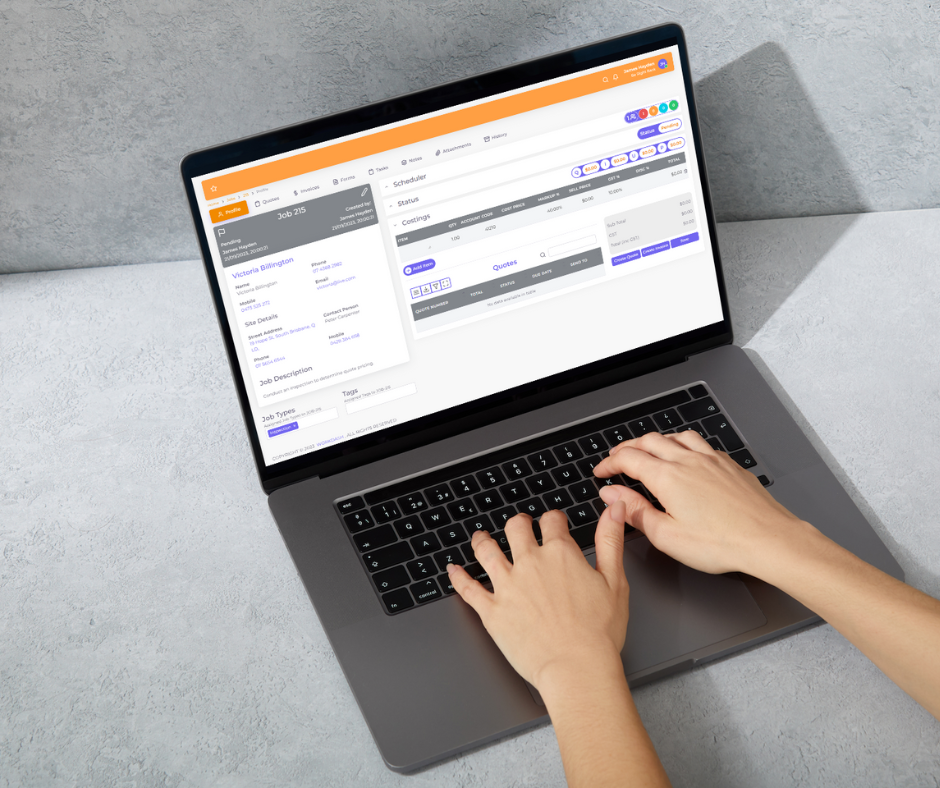
WorkDash provides built-in support for paperless forms, dynamic forms, and workflow automation as part of its business management platform. Forms integrate seamlessly with jobs, clients, documents, and processes—without ERP complexity.
Businesses can collect data, capture signatures, automate workflows, and maintain a single digital record across operations. WorkDash makes it easy to go paperless while keeping everything connected, secure, and scalable.
Benefits of digital form software like Workdash is not only efficient and effective for your document management, it allows provides endless integration into all parts of your business by using lookup and short code fields.
Key Takeaways: Going Paperless with Dynamic Forms
Going paperless eliminates delays and manual errors
Digital forms replace paper-based forms and PDFs
Dynamic forms improve data accuracy and user experience
Workflow automation connects forms to real business processes
Paperless forms streamline client intake and approvals
Digital signatures and audit trails improve security and compliance
Automation reduces manual data entry and admin workload
Digital forms support long-term digital transformation
WorkDash integrates forms into a single management system
Paperless workflows help businesses save time and scale confidently