Table of Contents
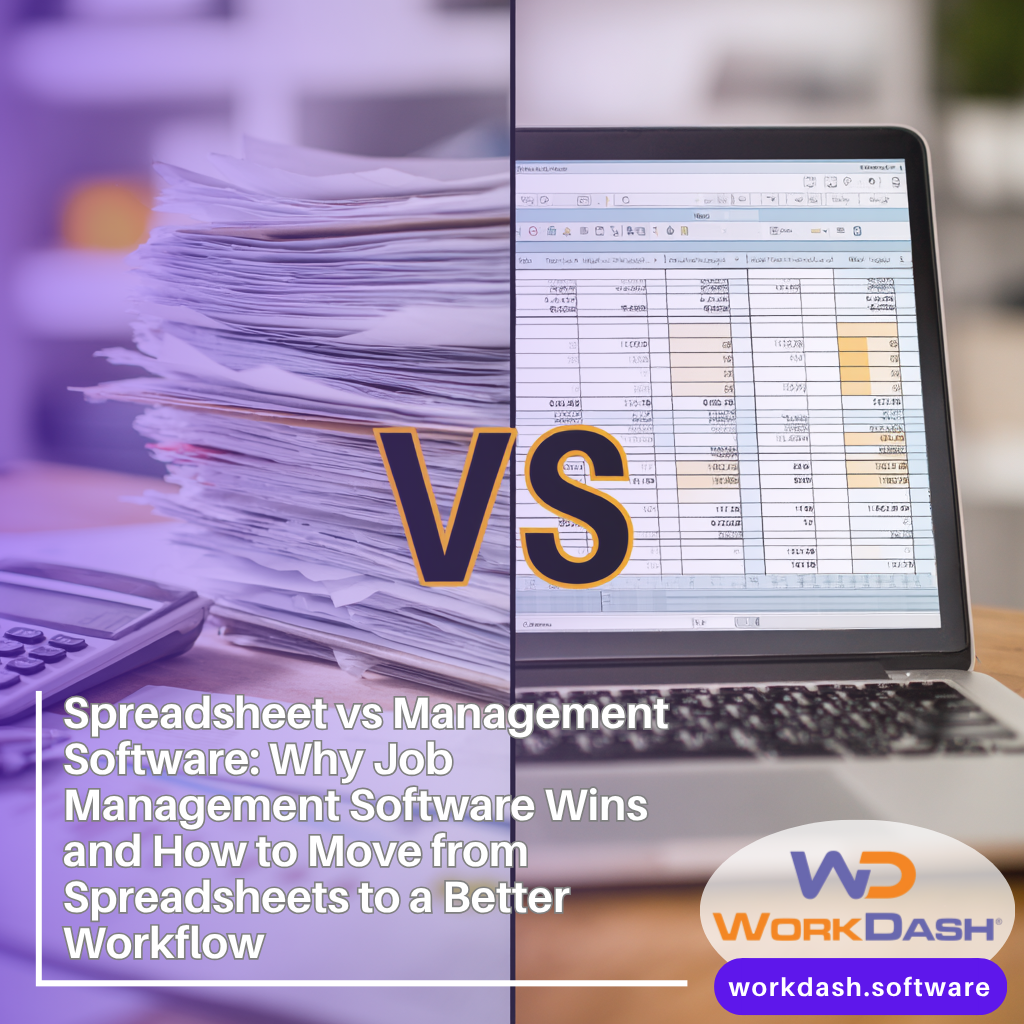
Spreadsheet vs Management Software: Why Job Management Software Wins and How to Move from Spreadsheets to a Better Workflow
Short summary:
If you’re still using spreadsheets to manage jobs, schedules, and invoices, you’re not alone—but you’re also carrying hidden risk. This comprehensive guide explains software vs spreadsheets in real operational terms and shows why management software beats spreadsheets for job management. We’ll compare Excel-style tracking to modern job management software, highlight where spreadsheets break down, and show how WorkDash—a business management platform (not an ERP)—helps you make the switch, gain real-time visibility, reduce manual data entry, and build a scalable workflow for growth.
Article Outline
Why Has the Spreadsheet Been the Go-To Tool for So Long?
Spreadsheet vs Management Software: What’s the Real Difference?
Why Does Software vs Spreadsheets Matter for Job Management?
How Do Automation and Real-Time Updates Change Daily Operations?
Where Do Excel and Multiple Spreadsheets Break Down (Version Control, Errors, Audit)?
How Does Job Management Software Improve Workflow, Visibility, and Dashboards?
What About Payroll, Resource Management, and Project Management?
How Does Job Management Software Reduce Admin, Invoices, and Repetitive Tasks?
When Should Small Businesses Move from Spreadsheets—and What Are the Signs?
Why WorkDash: Make the Switch from Spreadsheets to Dedicated Tracking Software
1. Why Has the Spreadsheet Been the Go-To Tool for So Long?
The spreadsheet has been the go-to tool for decades because it’s accessible, flexible, and familiar. Many businesses start with Microsoft Excel or Google Sheets because tools like Excel feel quick to set up and easy to share. For early-stage teams, a spreadsheet can track lists, dates, and basic job details without much ceremony. In fact, businesses start with spreadsheets because they work—at first.
But as a growing business adds more jobs, people, and customers, the cracks appear. Teams juggle multiple spreadsheets, copy data between tabs, and rely on manual entries to keep things in sync. The result is time-consuming admin, creeping human error, and fragile version control. You may notice spreadsheets contain errors more often, or that updates don’t reach everyone at the same time.
It’s not that spreadsheets are “bad”; it’s that spreadsheets work best for static data, not dynamic operations. When job planning, job progress, and job updates happen all day, a grid-based tool becomes a bottleneck. That’s when teams start to feel that spreadsheets simply can’t keep up with real operations—and why it becomes time to upgrade.
2. Spreadsheet vs Management Software: What’s the Real Difference?
At a practical level, a spreadsheet is a grid-based file designed to calculate and display data. Management software, on the other hand, is a management tool built to coordinate actions—tasks, schedules, approvals, and outcomes—inside a single system. This is the heart of the software vs spreadsheets debate: storage versus orchestration.
With a spreadsheet, people must remember to update cells. With management software, the system can automate steps, prompt users, and connect records. That’s why automation matters. Instead of relying on memory, software automates workflows and ensures steps happen in the right order. This is also where real-time collaboration becomes possible—everyone sees the same status at once.
When teams use spreadsheets to manage active work, they create gaps. Spreadsheets don’t enforce process, don’t protect against missed steps, and don’t provide a live dashboard. A modern management software like WorkDash is software is designed to do exactly that: coordinate people, work, and data in one place—unlike spreadsheets.
3. Why Does Software vs Spreadsheets Matter for Job Management?
Job management is not just about lists; it’s about timing, accountability, and follow-through. When teams rely on a spreadsheet to manage jobs, they often lose visibility into what’s happening right now. Someone updates a row, someone else misses it, and a deadline slips. That’s how small gaps become big problems.
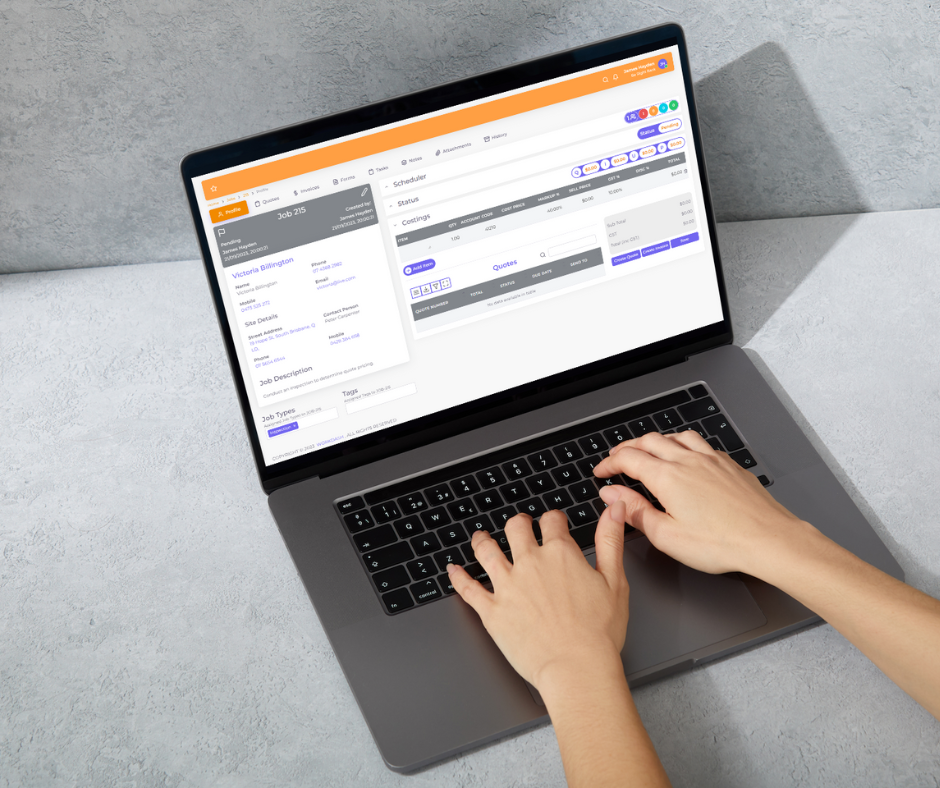
With job management software, the system becomes the source of truth. You can track job status, see dependencies, and coordinate job scheduling without guessing. A good job management software setup also connects related items—tasks, notes, and invoice details—so context is never lost.
This is why job management software like WorkDash exists. It’s a management software purpose-built to handle moving parts. While a spreadsheet can list work, job management software helps teams execute work with fewer surprises and fewer mistakes.
4. How Do Automation and Real-Time Updates Change Daily Operations?
One of the biggest shifts from a spreadsheet to management software is the move to automation and real-time updates. In spreadsheets, updates are manual. In software, job management software automates reminders, transitions, and notifications. That means fewer repetitive steps and less chasing people for updates.
Real-time status is a game changer. Instead of opening multiple spreadsheets and reconciling versions, a team checks one dashboard. Everyone sees the same truth at the same time. This improves visibility and speeds up decisions. It also reduces manual data entry, which is one of the main sources of human error.
For operations that include invoice creation, approvals, or follow-ups, automation removes delays. Software helps you save time by turning routine actions into background processes—so your team can focus on delivery, not administration.
5. Where Do Excel and Multiple Spreadsheets Break Down (Version Control, Errors, Audit)?
Excel spreadsheets are powerful, but they’re not built for multi-user operations. The moment two people edit the same file, version control becomes a risk. Someone works from yesterday’s copy, another overwrites a formula, and suddenly your business spreadsheets don’t agree.
This is where spreadsheets create hidden costs. You get spreadsheets also causing duplication, and you lose time reconciling differences. Over time, spreadsheets become a patchwork of fixes. When you need an audit trail—who changed what and when—it’s hard to guarantee accuracy. That’s especially risky when finances and invoice records are involved.
By contrast, management software centralises data in one system with permissions and logs. Software addresses these risks by providing controlled access, change histories, and consistent views—something tools like Excel were never designed to do at scale.
6. How Does Job Management Software Improve Workflow, Visibility, and Dashboards?
A core benefit of job management software is a structured workflow. Instead of hoping people follow steps in a spreadsheet, the software guides them through stages—planning, execution, completion, and billing. This creates predictability and reduces the chance of skipped steps.
Visibility improves because information is organised by purpose, not by rows and columns. A role-based dashboard shows what matters now: overdue tasks, upcoming work, and job progress. Managers don’t need to open files and filter columns; they see priorities instantly.
WorkDash’s approach is to provide management features that fit real operations. The system links job details, tasks, and invoice data so teams can act quickly. This is how management software beats spreadsheets in day-to-day execution.
7. What About Payroll, Resource Management, and Project Management?
As operations grow, teams start to think about payroll, resource management, and project management together—not as separate files. In a spreadsheet, these are often different tabs or even different files. That fragmentation makes it hard to see the full picture.
With management software, these areas connect. You can see who is assigned to what, how time is used, and how work impacts costs. Project management becomes easier when tasks, schedules, and dependencies live in one system. Resource management improves because capacity is visible and conflicts are flagged early.
WorkDash is management software that brings these views together without becoming complex. It’s not an ERP; it’s a practical platform that grows as your business grows and keeps operations coordinated.
8. How Does Job Management Software Reduce Admin, Invoices, and Repetitive Tasks?
Admin work explodes when teams rely on a spreadsheet. Copying data, checking formulas, and preparing invoice records are classic repetitive tasks. Each step invites human error and eats into productive time.
Job management software reduces this burden by connecting actions. When a job is completed, the system can prepare billing details. When a status changes, stakeholders are notified. This is how software automates routine work and cuts manual data entry to a minimum.
Over time, this leads to fewer mistakes and more consistent outcomes. Teams spend less time fixing issues and more time to focus on customers and delivery.
9. When Should Small Businesses Move from Spreadsheets—and What Are the Signs?
Many small businesses ask, “When is it time to upgrade?” The answer is usually when you’re still using spreadsheets but feeling friction. Here are signs it’s time:
You juggle multiple spreadsheets for the same work.
You see delays because updates aren’t real-time.
You worry about errors in invoice or scheduling.
You’ve outgrown excel or google sheets as a single source of truth.
Another sign is when using spreadsheets to manage work feels time-consuming and stressful. At that point, it’s smart to switch from spreadsheets to a dedicated system. Small businesses that do this early build better habits and avoid costly rework later.
Remember, the goal isn’t to abandon tools you know—it’s to make spreadsheets work for what they’re good at and use software for operations. That’s how you move from spreadsheets without disruption.
10. Why WorkDash: Make the Switch from Spreadsheets to Dedicated Tracking Software
WorkDash is job management software built to replace fragile spreadsheets to manage operations. It’s tracking software that centralises work, supports job scheduling, and connects delivery to invoice outcomes. For teams ready to make the switch, it provides a clear path forward.
Unlike generic tools, WorkDash focuses on execution. It provides management software features that reduce errors, improve visibility, and support resource management without overwhelming users. You can level up with job management while keeping processes simple.
If your team is relying on spreadsheets today, WorkDash offers a practical upgrade path. It’s a go-to tool for tracking real work, built to scale as your business grows—and a clear example of why software vs spreadsheets isn’t a close contest anymore.
Key Takeaways: What to Remember
A spreadsheet is great for data, but not for running operations.
Management software coordinates actions; spreadsheets store cells.
For job management, visibility and timing matter more than lists.
Automation and real-time updates reduce errors and delays.
Manual data entry and repetitive admin create risk and waste time.
Dashboards and workflows provide clarity spreadsheets can’t.
As you add project management, resource management, and payroll, fragmentation grows.
Small businesses should move from spreadsheets when friction becomes routine.
Job management software like WorkDash connects jobs, schedules, and invoice flows.
In practice, management software beats spreadsheets—and WorkDash makes the transition simple.