
If you run a trade or service business, you have probably seen the term field service management software (FSM software) everywhere. Vendors promise everything from AI scheduling to GPS tracking and route optimisation. But many small businesses, from solo operators to teams of ten, do not need an enterprise platform. They need a reliable way to quote, schedule, track and invoice every job without drowning in admin.
This guide explains what field service management software does, how it differs from job management software, the features that matter for small field service teams in 2026, and how to choose a platform that fits your business rather than the other way around.
What Is Field Service Management Software?
Field service management software is a platform that helps businesses manage work carried out at customer sites. It typically covers booking, scheduling and dispatching, work orders, technician job details, quotes, invoicing and customer records. Larger FSM platforms add routing, GPS tracking, asset management, contract management and complex reporting for larger organizations with big field operations.
The goal is simple: keep the office and field technicians connected, reduce phone calls and paper-based processes, and help every job run smoothly from first contact to payment.
Field Service Software vs Job Management Software
The terms overlap, and many vendors use them interchangeably. In practice:
- Field service software often emphasises dispatch, routing, technician tracking and high volumes of short service calls.
- Job management software focuses on the full lifecycle of each job, from estimate and quote through scheduling, work completion, materials and billing.
For most trade businesses, such as plumbing, electrical, HVAC, cleaning and maintenance, the core need is strong job management with practical scheduling. Advanced FSM features are helpful when you have many technicians and a large daily queue of calls.
Whichever label you use, the right field service management platform should streamline service operations and field operations alike. It should support real-time communication between office staff and every tech in the van, so job statuses are always current and customers get seamless updates. That alone removes inefficiency, prevents costly mistakes and lifts customer satisfaction. A plumber, electrician or cleaner should be able to see the day’s job scheduling on their phone, and dispatch should be quick enough to assist with urgent calls. Before comparing management software like the big enterprise brands, list the problems you actually need solved, such as dispatch, inventory management and invoicing.
Key Features Small Field Service Teams Need
Job scheduling and dispatch
A clear calendar or dispatch board lets you assign customer appointments, move jobs when plans change, and see who is available. Real time updates mean the office knows when work is done.
Quotes and estimates
Create an estimate or quote quickly, send it to the customer, and convert it into a job once approved. Templates save time on common work.
Work orders and job details
Technicians need full job details on mobile devices: address, contact, notes, photos, equipment history and forms to complete. This improves first-time fix rates and reduces costly mistakes.
Invoicing and billing
Turn completed jobs into invoices without re-entering data, and sync billing with your accounting software through integration with platforms such as Xero.
CRM and customer info
Keep customer info, sites, assets and service history in one place, so anyone in the business can answer questions quickly.
Inventory management
Track stock and parts used on each job to control costs and make sure materials are billed.
Digital forms and compliance
Capture checklists, risk assessments, test results and sign-offs on site. Built-in forms help with compliance and audit trails.
Reporting and dashboard
A dashboard showing jobs by status, quotes awaiting approval and overdue invoices gives owners a clear view of operational performance.
Optional: GPS, routing and time tracking
GPS tracking, routing and navigation tools, and time tracking can help larger teams, but they are not essential for every small business. Prioritise the features that remove your biggest bottlenecks.
Where AI Fits in 2026
AI is appearing across FSM platforms, from smarter scheduling suggestions to drafting quotes and summarising job notes. It can save time, but it works best on top of clean job data and well-defined workflows. Focus first on getting the fundamentals right.
How to Choose Field Service Management Software
- Fit for your trade – does it match how you quote, schedule and bill?
- Easy to use – a user-friendly interface with a short learning curve matters more than a long feature list.
- Mobile access – can technicians use it on site, and does it work with patchy coverage or offline?
- Integration – does it connect with accounting, payments and third-party tools you already use?
- Pricing – is pricing clear, and does it suit a single user or small team as well as growth?
- Cloud-based and back-office ready – can the office and owners access everything securely from anywhere?
- Support – is local help available during setup?
Signs Your Business Has Outgrown Spreadsheets
- Jobs missed or double-booked
- Hours lost to phone calls chasing job statuses
- Invoices delayed because paperwork is in the van
- No way to track which jobs are profitable
- Inefficiency as new work arrives faster than you can schedule it
How WorkDash Helps Field Service Businesses
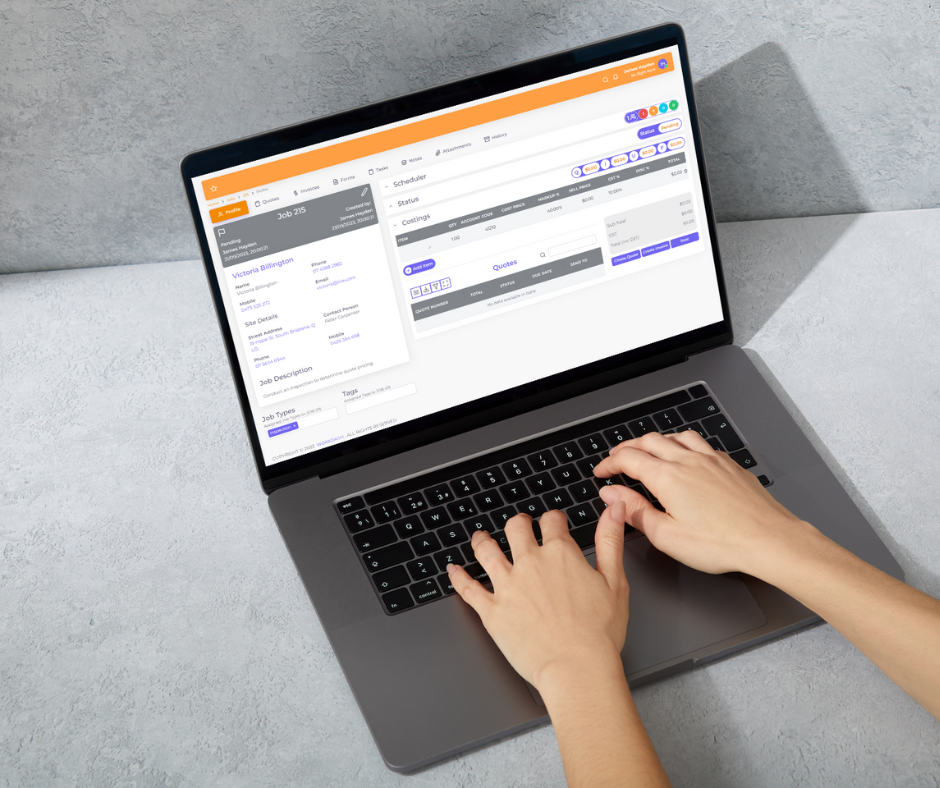
WorkDash is a job management platform built for Australian trade and service businesses. It brings enquiries, quotes, scheduling and dispatch, recurring and scheduled maintenance jobs, a mobile app for field staff, timesheets, GPS and route planning, job costing, digital forms, inventory, CRM, a client portal, invoicing and SMS together, with Xero integration, so small teams can work smarter without enterprise complexity. Book a demo to see how WorkDash fits your service business.
Field Service Management Software FAQs
Do solo operators need FSM software?
Solo operators benefit from simple quoting, scheduling and invoicing tools. Full FSM platforms may be more than they need.
Is FSM software only for HVAC and plumbing?
No. Any trade or service business working at customer sites can benefit.
How long does it take to implement?
Small businesses can often go live within a few weeks, depending on data import and training.