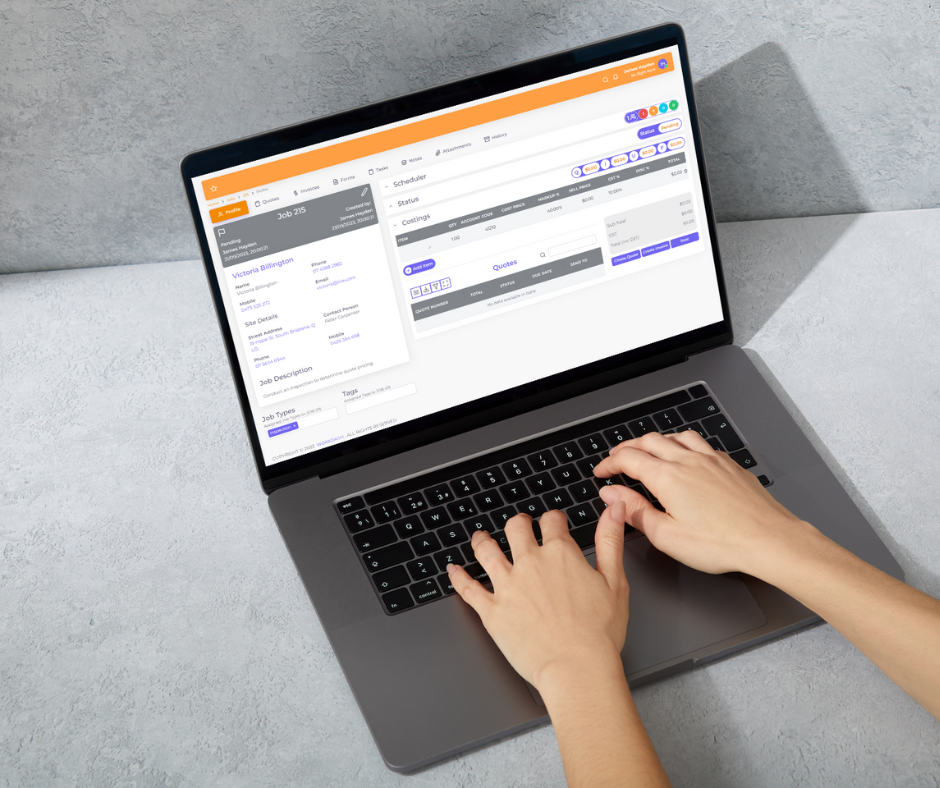

Work orders are the backbone of any maintenance or service operation. Every repair, installation, inspection and service visit starts with a request and should end with a record of what was done. When work orders live on paper, whiteboards and email threads, jobs get lost, technicians turn up without the right information, and nobody can say for sure what the status of work orders really is.
Work order management software turns that process into a clear digital workflow. This guide explains what work orders are, the types of work they cover, how the work order process works step by step, the features to look for in work order software, and how to choose the right work order management system.
What Is a Work Order?
A work order is a document that authorises and describes a specific task, such as a repair, installation, inspection or service. It usually includes the location, asset, description of the problem, priority, assigned technician, due date, parts needed and instructions. Once the work is completed, the work order becomes a record of labour, materials, notes and photos.
Work orders are used across trades, facility management, property maintenance, manufacturing and field service businesses to organise maintenance work and track results.
For any maintenance team, the work order is where planning meets reality. Effective work order management keeps maintenance tasks organised, gives managers a clear work order status for every job, and helps the maintenance operation run smoothly whether the work is planned or reactive maintenance. A good management tool lets staff access work orders from the office or the field, update work orders as they go, and track work orders through to completion.
Types of Work Orders and Maintenance Requests
- Reactive or corrective – created when something breaks or a fault is reported, often from service request forms or maintenance requests.
- Preventive maintenance – scheduled work orders that recur on maintenance schedules to keep assets running, such as servicing air conditioners every six months.
- Inspection – routine checks for safety, compliance or condition.
- Emergency – urgent work that needs immediate attention.
- Project or installation – planned work such as installing new equipment.
Understanding these types of work helps you set priorities and design the right workflow in your software.
The Work Order Process Step by Step
- Request – a customer, tenant or staff member submits work requests through a form, email, phone call or portal.
- Review and approval – the office or manager checks the request and decides whether to proceed.
- Creation – a work order is created with details, priority, location and asset.
- Scheduling and assignment – the office schedules the job and will assign work orders to the right technician or maintenance team.
- Execution – the technician completes the work on site, recording time, parts, notes and photos.
- Completion and sign-off – the customer signs off and the work order is closed.
- Invoicing and review – the job is invoiced, and data is used to improve future planning.
Managing the entire work order process digitally means nothing falls between the cracks.
Benefits of Work Order Management Software
Work order management software helps businesses streamline the whole management process. It brings work order automation, prioritising work by urgency, and preventive maintenance schedules into one system, so teams can manage work orders without spreadsheets. Many order management tools also integrate with other business systems, such as accounting and project management, which reduces double handling. In short, the right work order management solution means every job is visible, every technician knows what to do, and every completed job can be billed.
- Visibility – see the status of every work order in real time.
- Faster response – generate work orders instantly from requests and assign them quickly.
- Better information – technicians get full job details, history and instructions on a mobile app.
- Less paperwork – digital work orders replace paper forms and double entry.
- Preventive maintenance – automate recurring work orders so nothing is forgotten.
- Accurate billing – labour and materials recorded on the job flow straight to invoices.
- Better decisions – reports show trends in repairs, costs and asset performance.
Key Features of Work Order Software
- Online request forms and a client portal for maintenance requests
- Fast work order creation and templates for common jobs
- Scheduling, dispatch and the ability to assign work orders by skill or location
- Mobile app access for technicians, including offline use where needed
- Recurring and scheduled maintenance work orders
- Asset records and maintenance history
- Digital forms, checklists, photos and signatures
- Parts and inventory tracking
- Time tracking and job costing
- Invoicing and accounting integration
- Reporting and dashboards
CMMS vs Work Order Management vs Job Management Software
A computerized maintenance management system (CMMS) is designed for organisations that maintain their own assets, such as factories, hospitals or facilities teams. CMMS software focuses heavily on asset management, preventive and predictive maintenance, parts and downtime.
Job management software is better suited to contractors and service businesses that complete work orders for customers. It combines work orders with quoting, scheduling, customer management and invoicing, which a CMMS platform often lacks. Choosing the right work order tool depends on whether you maintain your own assets or deliver maintenance work for clients.
Choosing the Right Work Order Management Software Solutions in 2026
Lists of the top 6 work order management software products or the best software for 2026 can help you shortlist, but the right work order management software is the one that fits how your team works. Some management solutions offer unlimited work orders on every plan, while a free CMMS may limit users or features. Field service management tools suit contractors, while CMMS platforms suit internal maintenance teams that need to complete maintenance on their own assets.
- Who creates work orders? Make sure customers, tenants or staff can submit requests easily.
- How do technicians work? Choose a mobile app that is quick and simple in the field.
- Do you need preventive maintenance? Check recurring scheduling and asset tracking.
- How do you bill? Look for invoicing and accounting integration.
- How will you grow? Pick software solutions that scale with your team.
Getting Started With Work Order Management and Your Work Order Management System
Whichever tool you choose, good software helps your team adopt new habits quickly.
Start by mapping your current process, defining work order types and priorities, and setting up templates for your most common jobs. Train the team, run the new system alongside a small group of customers, and then roll it out fully.
How WorkDash Helps Manage Work Orders
WorkDash is a job management platform for Australian trade and service businesses. It lets you create, assign and track work orders alongside quotes, scheduling, recurring maintenance jobs, a mobile app with timesheets and GPS route planning, digital forms, asset management, job costing, a client portal, invoicing and Xero integration. Book a demo to see how WorkDash handles work orders with ease.
Work Order Software FAQs
What should a work order include?
Location, contact, description, priority, assigned technician, due date, parts and instructions, plus completion notes.
Is work order software only for large organisations?
No. Small contractors benefit from digital work orders just as much as large maintenance teams.
Can customers submit work requests online?
Many platforms provide request forms or a client portal for submitting and tracking requests.