Many trade and service businesses are busy but not as profitable as they should be. The reason is often simple: they do not know the true job cost of the work they do. Quotes are based on gut feel, labour runs over, materials go unbilled, and by the time the accountant finalises the numbers, it is too late to fix anything.
Job costing software tracks labour, materials, subcontractors and other costs against each job, so you can see profit while the work is still happening. This guide explains how job costing works, the key features to look for, and how to choose the right job costing system for your business.
What Is Job Costing?
Job costing is the process of tracking every cost associated with a specific job and comparing it with the price charged. Instead of looking only at overall business profit, it shows which jobs, customers and types of work actually make money.
A typical job cost includes:
- Labour costs, including wages, super and on-costs
- Materials and parts
- Subcontractors
- Equipment and vehicle costs
- Overheads allocated to the job
Benefits of Job Costing Software for Trade and Construction Businesses
The benefits of job costing software go well beyond accounting. Good tracking and job costing tools allow contractors to control project costs, forecast cash flow and improve profitability across every construction project or service call. For a construction company or trade team, a clear job costing process also makes it easier to streamline quoting, because you can see the real business costs behind each type of work. Whether you choose a dedicated job costing solution or an integrated software system that combines job tracking, scheduling and invoicing, the aim is to track costs as they happen, not months later.
For any business owner or manager, accurate job costing answers critical questions: are we quoting correctly, which jobs run over, and where is money leaking? It helps you:
- Spot cost overrun early, while there is still time to act
- Improve the accuracy of each estimate and quote
- Identify the most profitable work and customers
- Make sure all labour and materials are invoiced
- Forecast cash flow and capacity more reliably
Job Costing Software vs Spreadsheets
Many businesses start with a spreadsheet. It works for a few jobs, but it quickly becomes slow and error-prone. Data has to be copied from timesheets, supplier bills and invoices, and by the time it is complete, the job is often finished. A dedicated job costing system pulls that information together automatically and shows actual costs against budget in real-time.
Key Features of Job Costing Software
Estimates and budgets
Create an estimate or quote with budgeted labour, materials and subcontractor costs. That budget becomes the benchmark for the job.
Timesheets and labour tracking
Staff record time against jobs from the job site, giving accurate labour costs instead of guesses.
Materials and inventory
Track materials issued from stock or bought for the job, so material cost is captured as it happens.
Real-time cost tracking
See committed and actual costs against budget throughout the job, not just at the end.
Invoicing and progress billing
Invoice from the job record, including variations and progress claims, so nothing is missed.
Reporting
Compare estimates with actuals, profit by job type and job performance by team or customer.
Accounting integration
Sync with accounting software such as Xero, MYOB or QuickBooks Online so payroll, bills and invoices flow into your accounting system without double entry.
Do You Need ERP Software, Job Costing or Project Management?
Large construction firms often use ERP software with a job costing module, along with full accounting for construction. For most small and medium trade businesses, an ERP is more complex and expensive than necessary. A job management platform with built-in costing, timesheets and integration with platforms like Xero usually gives SMB contractors the visibility they need without the overhead.
Construction Job Costing vs Service Job Costing
Some construction software is designed for the construction industry specifically, with construction estimating, variations and detailed construction tasks. Construction job costing software suits larger builders, while cloud-based job management with built-in cost tracking is often a better software solution for trades. If you need construction job costing for a few larger jobs a year, choose a platform that handles both rather than two separate tools.
Construction job costing focuses on longer projects with stages, budgets, subcontractors, variations and progress claims. Service businesses run many smaller jobs, where the key is fast, accurate capture of labour and materials on each job. The best job costing software for your business depends on which type of work dominates.
How to Choose the Best Job Costing Software and Best Tools for SMB Contractors
When you compare the best tools, check whether the software integrates with Xero, whether it can work alongside Xero Projects if you already use it, and whether it gives a single view of project costs. A good project management solution with costing built in is often enough for SMB job costing, and simpler software for construction trades will usually win over complex systems your team will not use.
- Fit for your work – does it suit project work, service work or both?
- Ease of use – will field staff log time and materials consistently?
- Integration – does it connect with your accounting software and payroll?
- Real-time visibility – can you see costs during the job?
- Reporting – does it show estimates versus actuals clearly?
- Scalability – will it grow with your construction business or service team?
How to Implement Job Costing in Your Construction Business
To implement job costing successfully, start small and build habits.
- Define your cost categories, labour rates and overhead allocation.
- Set up budgets for each job based on the quote.
- Train staff to record time and materials against jobs.
- Review job costs weekly, not just at the end.
- Use results to refine pricing and estimating.
How WorkDash Supports Job Costing
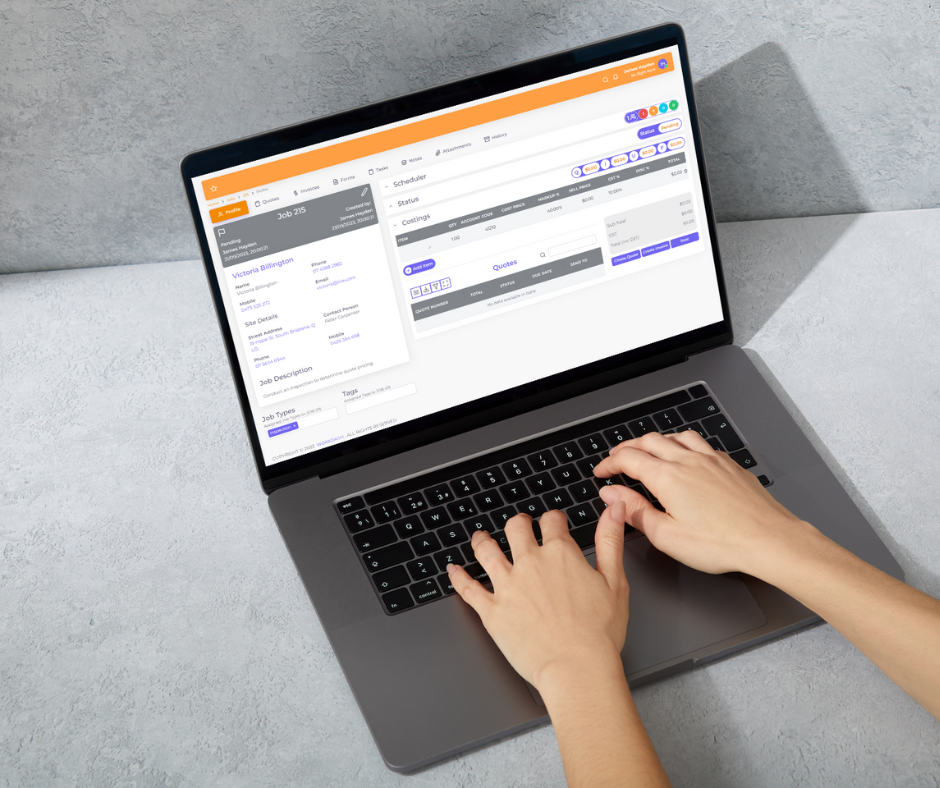
WorkDash is a job management platform for Australian trade and service businesses. It includes job costing per job, timesheets through the mobile app, quotes, scheduling, inventory, invoicing and Xero integration, so you can see what each job earns without moving to a complex ERP. Book a demo to see job costing in WorkDash.
Job Costing Software FAQs
What is the difference between job costing and project management software?
Project management software focuses on tasks and timelines. Job costing focuses on costs and profit. Many platforms combine both.
Can small businesses benefit from job costing?
Yes. Even a small team can uncover underpriced work and unbilled materials.
How often should I review job costs?
Weekly reviews catch problems while they can still be fixed.