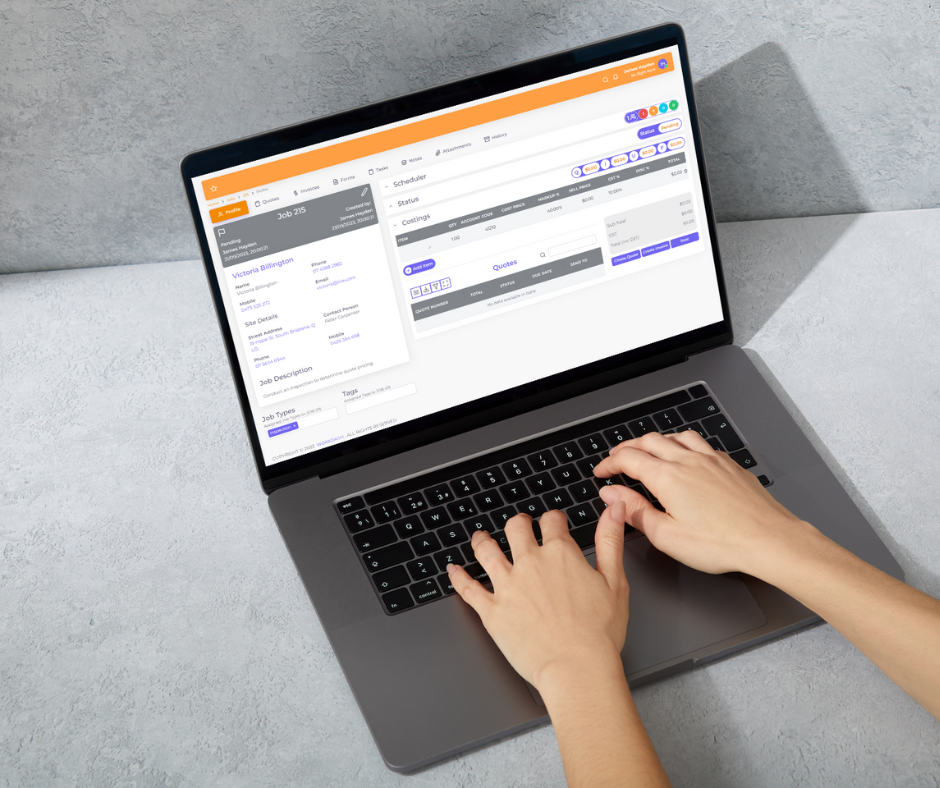

Locksmiths run some of the most unpredictable schedules in the trades. One minute you are rekeying an office, the next you are racing to an emergency lockout across town. On top of that come key cutting, master key systems, access control installs, stock in the van, quotes for commercial clients and invoices that need to go out the same day. Without the right systems, admin piles up quickly.
Locksmith software brings callouts, scheduling, job tracking, stock and invoicing together. This guide explains what locksmith service software does, the features that matter, and how to choose the right software for your locksmith business.
What Is Locksmith Service Software? A Services Management Software Solution Explained
Locksmith software is job management and field service management software set up for locksmith services. It helps owners and locksmith technicians manage enquiries, quotes, jobs, dispatch, customer records, stock and invoicing in one place, so nothing slips through the cracks.
Many locksmiths use general business software or a mix of spreadsheets and paper. Dedicated software for locksmiths, or a flexible field service management solution configured for locksmith work, gives you a clearer view of your operations and helps deliver the best customer experience.
Why Your Locksmith Business Needs Management Software to Streamline Field Services
Every professional locksmith knows that service and maintenance work, emergency calls and project management for larger installs all compete for the same hours. Business software that brings job scheduling, customer management and invoicing together helps business owners streamline business operations and improve customer satisfaction. The right software helps field technicians and field workers get to the next job faster, and it helps the office automate the follow-ups that usually fall through the cracks. That is how locksmiths save time and money and increase revenue without hiring more admin staff.
- Faster response to callouts – see who is closest and available, and dispatch quickly.
- Fewer missed jobs – every enquiry becomes a job with a status and owner.
- Accurate invoicing – capture labour, parts and callout fees on site.
- Better stock control – know what locks, cylinders and key blanks are in each van.
- Customer history – see past jobs, key systems and access notes for each site.
- More time for paid work – less admin at night and on weekends.
Key Features of the Best Locksmith Software and Dispatch Software
Most of the best locksmith software options are a type of field service software, built for service companies and home service businesses across the service industry. Look for an all-in-one field service management system with a mobile app for technicians, work order management, and a cloud-based field service management solution that lets you run your business from anywhere. Software built for service professionals should cover both customer-facing and back-office solutions in one place.
Scheduling software and dispatch
Locksmith work mixes booked jobs with urgent callouts. Scheduling software with clear dispatch capabilities lets the office see availability in real-time and assign the right technician.
Job management and work orders
Create jobs and work orders with site details, access instructions and photos. Track each job from booking through to completion and payment.
Quotes and invoicing software
Send professional quotes for rekeying, restricted key systems, access control or safe work, then convert them to jobs. Invoicing software should let you invoice on site and take payment straight away.
Inventory management
Track locks, cylinders, key blanks, hardware and parts across the shop and vans. Good inventory management reduces lost stock and makes sure materials are billed.
Customer management
Store customer contacts, sites, notes and service history. For commercial clients, keep records of installed hardware, maintenance schedules and authorised contacts.
Mobile access for field workers
Technicians need job details on mobile devices, plus the ability to capture photos, notes and signatures in the field.
Reporting and automation
Automate reminders, follow-ups and invoices, and use reports to see which services and customers drive profit.
Key Management Software vs Locksmith Job Management Software
Locksmiths who design and maintain master key systems often use specialised key management software to record keying charts, key holders and system changes. That is different from job management software, which runs the business side: callouts, scheduling, quoting, stock and invoicing. Many locksmith businesses use both, with job management at the centre of day-to-day operations.
How to Choose the Right Software and Best Software for Your Locksmith Business
- Ease of use – can technicians use it quickly on site?
- Real-time scheduling – does it handle urgent callouts well?
- Cloud-based access – can you run your business from anywhere?
- Integrations – does it connect with accounting and payments?
- Stock control – can it track inventory by van and location?
- Support and setup – is local help available?
How WorkDash Helps Grow Your Locksmith Business
As a service management solution that helps locksmiths handle business management from one screen, WorkDash is designed to help you grow your business with less admin.
WorkDash is an all-in-one job management platform for Australian service businesses. Locksmiths use it to manage enquiries, quotes, scheduling and dispatch, scheduled maintenance jobs, inventory, customer records, digital forms, job costing and invoicing. Technicians get a mobile app with timesheets and GPS route planning, commercial clients can use a client portal, and Xero integration and SMS updates keep everyone informed. Book a demo to see how WorkDash can help grow your locksmith business.
Locksmith Software FAQs
Can locksmith software handle emergency callouts?
Yes. Look for software that lets you create and dispatch jobs quickly and see technician availability.
Is cloud-based software secure?
Reputable cloud-based platforms use secure hosting, access controls and backups. Always check how customer data is protected.
Can I track key blanks and hardware?
With inventory management features, you can track stock levels and usage across locations.