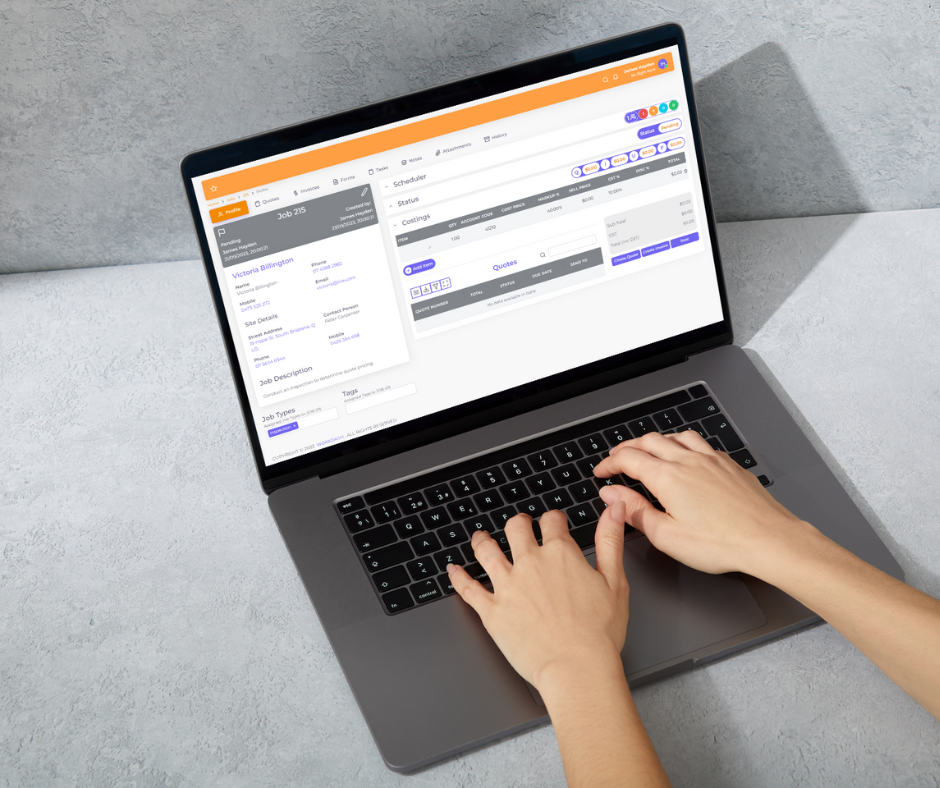

Running an electrical business means juggling far more than the work itself. There are service calls to schedule, quotes to send, materials to order, compliance paperwork to complete, invoices to chase and staff to coordinate. Many electricians still manage all of this with a mix of spreadsheets, paper job sheets, texts and memory. It works until it doesn’t.
Electrician software brings scheduling, quoting, job tracking and invoicing together in one place. This guide explains what job management software for electricians does, the features electrical contractors need, and how to choose the right software for your business.
What Is Electrician Software for an Electrical Business?
Electrician software, also called electrical contractor software or job management software, is a platform that helps electrical contractors manage jobs from the first enquiry to the final payment. It replaces scattered paperwork with a single system where the office and field can see the same information.
Whether you are a sole trader, a small electrical team or a commercial electrical contractor running project work alongside service calls, the right software helps you save time, reduce errors and get paid faster.
Why Electricians Need Job Management Software to Manage Jobs
Most electrical work falls into two streams: reactive service work and planned project work. Many electricians run both, and that is where admin gets messy. Electrician job management software helps you manage service calls, track project management tasks, and keep the field and office on the same page. For an electrician business with small teams, it removes the need for constant phone calls and texts; for a larger electrical contracting business, it gives managers visibility across every electrical job.
Good software that helps you run your business should also improve customer experience. Online booking, automatic reminders and clear quotes make it easier for customers to deal with you, and communication tools keep them updated. Delivering exceptional service consistently is how you grow your business through referrals and repeat work, whether you focus on home service, commercial service or both.
- Less admin – stop re-entering the same customer and job details in multiple places.
- Faster quoting – create professional quotes quickly and win more work.
- Better scheduling – see who is available and dispatch the right electrician to each job.
- Accurate invoicing – invoice as soon as the job is done, with the right labour and materials.
- Compliance records – keep test results, certificates and forms with the job.
- Visibility – know which jobs are booked, in progress, complete or waiting on payment.
Key Features of the Best Electrician Software and Field Service Management Tools
Job management and job tracking
Create jobs, assign them to staff, attach notes and photos, and track progress. Good job tracking gives the office a live view of every job and its status.
Scheduling and dispatch
A clear schedule shows who is working where. Look for tools that make it easy to manage scheduling, reschedule when an emergency call comes in, and dispatch the right person.
Quotes and estimating
Quoting tools let you build quotes from labour and materials, send them to customers and convert accepted quotes into jobs. Some contractors also use dedicated estimating software for large commercial tenders.
Invoicing and payments
Turn completed jobs into invoices without retyping, send them by email, and take payment online. Integration with accounting software such as Xero, MYOB or QuickBooks saves hours of reconciliation.
Customer management and service history
A CRM keeps contact details, sites and full service history in one place, so you know what was done last time and can follow up on maintenance or upgrades.
Digital forms and compliance
Electrical work comes with compliance obligations, such as certificates of testing and safety or compliance certificates depending on your state, plus test and tag records. Digital forms help capture checklists, test results and customer sign-off on site.
Inventory and materials
Track stock in the warehouse and vans, record materials used on each job, and reduce the cost of lost or unbilled materials.
Job costing and reporting
Job costing shows whether each job made money once labour, materials and overheads are counted. Reporting helps you see profit by job type, customer or staff member.
Mobile access
Electricians spend most of the day on site, so a mobile app or mobile-friendly access lets them see job details, capture photos and complete forms in the field.
How to Choose the Best Job Management Software: Software Options for Electrical Contractors
There are many software options, from all-in-one field service management platform products to simple apps for sole traders. Some are general service software, while others are all-in-one construction management suites built for large builders. The best software is the one your team will use every day, so look for software tools that fit how you already work. Electrical service businesses that also do installations need a software solution that handles both, and newer platforms are adding AI tools to speed up quoting and scheduling. Strong job costing is worth prioritising, because it shows which kinds of work are actually profitable. If you are a small operator, look for software for small electrical teams with a free trial rather than a free electrical template that you outgrow quickly.
- Fit for electricians – does it handle service calls, project work and compliance?
- Ease of use – will your team actually use it in the office and field?
- Integrations – does it connect with your accounting software and payments?
- Scalability – will it suit you as you grow from a small electrical business to multiple teams?
- Support – is there local support and help with setup?
- Trial – is there a free trial or free demo so you can test it with real jobs?
Job Management Software vs Field Service Management Software
For sole traders and small contractors, job management software can help by putting quoting, scheduling and invoicing tools in one platform. Electrical contractor software helps you simplify scheduling, see every electrical job at a glance, and give customers faster answers. Look for tools that allow your team to update jobs from site and tools to help the office follow up quotes. In short, the right software for electrical contractors should be a fit for electricians first and a general business tool second, and it should help them grow their business without adding admin.
The terms overlap. Field service management software is a broader category covering any business that sends staff to customer sites. Job management software for electricians focuses on the full job lifecycle, from quote to invoice, which is what most electrical contractors need day to day.
Common Mistakes When Choosing the Best Software for Electrical Work
- Buying based on price alone
- Choosing software built for a different trade
- Not involving the team who will use it
- Skipping the setup and training stage
- Running old and new systems side by side for too long
How WorkDash Helps Electrical Contractors Run an Electrical Business
As electrician business software, WorkDash is designed to help you run an electrical team without the admin burden.
WorkDash is a job management platform built for Australian trade and service businesses. Electrical contractors use it to manage enquiries, quotes, scheduling, recurring maintenance jobs, digital forms, inventory, customer records, job costing and invoicing in one place. Field staff get a mobile app with timesheets and GPS route planning, customers can use a client portal, and Xero integration keeps accounts in sync. Book a demo, or try it free, to see how WorkDash can help you take control of your electrical business.
Electrician Software FAQs: What Electricians Need to Know
Is there free electrical software or a free demo?
Some tools offer limited free plans, and most offer a free demo or trial. Test any software solution with real jobs before you commit, and check how well it handles quotes, scheduling and invoicing for each electrical job.
Is electrician software worth it for a sole trader?
Yes. Even small electrical businesses save time on quoting and invoicing and present a more professional image.
Can I use the same software for service and project work?
Many platforms handle both, but check how they manage larger projects, variations and progress claims.
How long does it take to set up?
Most electrical businesses can be up and running within a few weeks, depending on data import and training.