
Running a cleaning business looks simple from the outside. In reality, owners juggle recurring bookings, last-minute changes, staff rosters, keys and access notes, cleaning checklists, invoices and customers who want quick answers. Doing all of that with paper diaries, spreadsheets and a calendar app quickly becomes a full-time job on its own.
Cleaning business software brings scheduling, booking, customer records and invoicing into one platform. This guide explains what cleaning software does, the features that matter most, and how to choose the right system for your cleaning business in 2026.
What Is Cleaning Business Software?
Cleaning business software is a type of field service software designed to help cleaning companies manage jobs, staff and customers. It replaces disconnected tools with a single system so business owners and cleaners can see the same information, whether they are in the office or on site.
The right platform suits residential and commercial cleaning alike, from solo cleaners and small teams through to larger commercial cleaning companies with multiple crews and commercial clients.
Across the cleaning industry, software for cleaning has moved from a nice-to-have to a core tool. Whether you run a residential cleaning round, a commercial cleaning service or a mix of both, the aim is the same: spend less time on admin and more time on paid work. For maid service owners and other service professionals, good cleaning business software tools combine job scheduling, customer management and invoices and payments in a simple app the whole team can use.
Why Business Owners Switch to Dedicated Cleaning Software
Most cleaning business owners start with a phone, a diary and a spreadsheet. Dedicated software becomes essential when you start to notice:
- Double bookings or missed cleans
- Hours spent each week on scheduling and invoicing
- Cleaners calling the office for addresses, access codes or job notes
- Invoices going out late or not at all
- No clear view of which customers and services are most profitable
Moving to one platform built for service businesses saves time, reduces mistakes and gives you a better picture of how to grow.
Key Features of the Best Cleaning Business Software
Scheduling and recurring jobs
Most cleaning work repeats weekly, fortnightly or monthly, so recurring scheduling is essential. Good scheduling software lets you set up recurring cleaning once, then handle exceptions such as holidays or one-off deep cleans without rebuilding the roster.
Online booking and cleaning requests
Online booking forms let customers submit cleaning requests and book services without phone tag. A booking page on your website can capture the address, property size, service type and preferred times.
Customer management (CRM)
A CRM stores customer details, site access notes, preferences and history. When a cleaner arrives, they know which entrance to use, where the keys are and what the customer expects.
Cleaning checklists and digital forms
Digital cleaning checklists help maintain consistent quality, especially across larger teams. Photos and sign-offs provide proof that each cleaning job was completed properly.
Quotes, invoices and payments
Create quotes for new clients, then convert them into scheduled jobs. Generate invoices automatically when jobs are complete, send reminders, and let customers pay online with integrated payment processing.
Staff and team management
Assign jobs, manage availability and keep track of who is working where. Some platforms add time tracking and workforce management features for payroll.
Customer communication
Automated confirmations, reminders and on-the-way messages by SMS or email reduce no-shows and keep customers informed.
Reporting
Reports show revenue by customer, service and cleaner, helping you price better and focus on profitable work.
Residential vs Commercial Cleaning Software Needs
Residential cleaning and maid services usually need easy online scheduling, recurring bookings and quick payments. Commercial cleaning companies often need site-based schedules, multiple contacts per client, compliance documents, checklists for each site and detailed reporting for commercial clients. Many cleaning companies do both, so look for software that handles residential and commercial cleaning without workarounds.
How to Choose the Best Cleaning Business Software
When you compare cleaning business software Australia options, start with ease of use and how the system handles scheduling and dispatching. A good job management software platform should cover scheduling and invoicing, team management, customer communication and payment processing as part of one workflow. A mobile app for cleaners is especially useful, because it puts checklists and notes in their hands on site. These management tools matter whether you are a small service company or one of many small businesses competing for the same customers, and the right choice will help you run your cleaning business more smoothly and transform your cleaning business over time.
- Ease of use – can your cleaners pick it up quickly?
- Scheduling strength – does it handle recurring jobs and changes easily?
- Integrations – does it connect with your accounting software and payment provider?
- Mobile access – can staff view jobs and checklists in the field?
- Scalability – will it suit you as you grow from solo to multiple teams?
- Local support – is help available in Australian business hours?
- Free trial – can you test it with real customers before committing?
Cleaning Business Software in Australia
For Australian cleaning businesses, consider GST-ready invoicing, integration with Australian accounting software such as Xero, support in local time zones, and payment options your customers already use. These details make a big difference to day-to-day admin.
How WorkDash Helps Cleaning Businesses
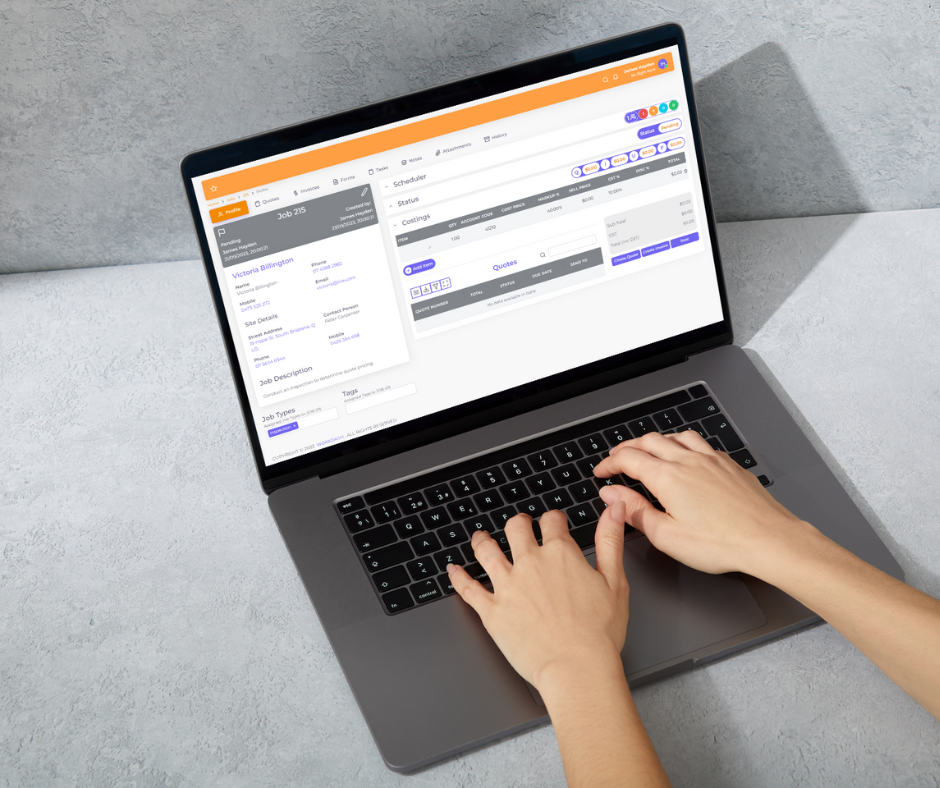
WorkDash is a job management platform for Australian service businesses. Cleaning companies use it to manage customer records, quotes, recurring cleaning jobs, scheduling, digital forms and checklists, job costing, invoicing and SMS communication in one place. Cleaners get a mobile app with timesheets and GPS route planning, customers can view jobs and invoices through a client portal, and Xero integration keeps accounts in sync. Book a demo to see how WorkDash can help transform your cleaning business.
Cleaning Business Software FAQs
Here are common questions from people looking to run a cleaning business more efficiently.
Do solo cleaners need software?
Even solo cleaners benefit from simple scheduling, reminders and invoicing, which free up time for paid work.
Can customers book online?
Many platforms support online booking or enquiry forms that feed directly into your schedule.
How much does cleaning business software cost?
Pricing varies by features and team size. Most providers charge monthly per user or per business, and many offer a free trial.