
Handyman businesses deal with more variety than almost any other trade. In a single week, one handyman might fix a fence, hang doors, patch plasterboard, assemble furniture and repair a deck. Lots of small jobs means lots of quotes, bookings, materials runs and invoices, and the admin can quickly eat into the time you could be billing.
Handyman software helps you schedule jobs, send estimates, track job progress and get paid faster, all from one platform. This guide explains what handyman business software does, the features that matter for small teams, and how to choose the right software tools to run your handyman business.
What Is Handyman Software?
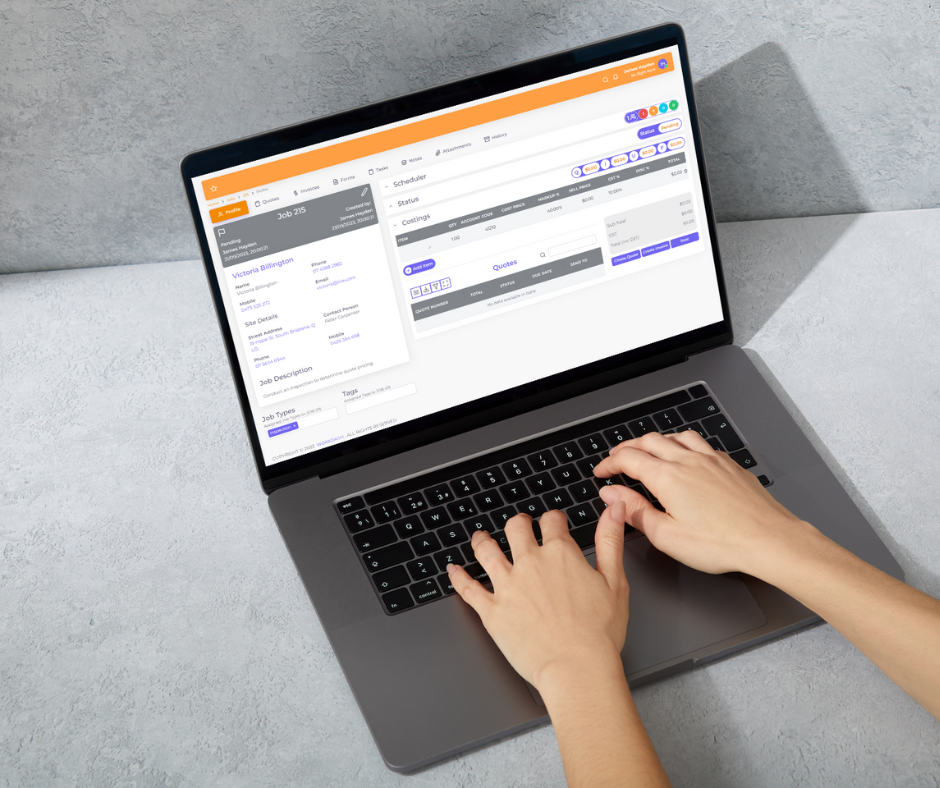
Handyman software is job management software built for small service businesses that complete a wide range of repair and maintenance work. It is a type of field service software, but it focuses on what handyman professionals need most: fast quoting, simple job scheduling, clear job details for the person on site, and quick invoicing.
Whether you are a one handyman operation or a growing team with office staff, good handyman business software gives you everything you need in one system instead of juggling texts, notebooks and spreadsheets.
For growing handyman businesses, the best handyman software acts as a business management hub. It should simplify every handyman job, streamline your business processes and help you manage jobs from the first call to the final payment. Good management software that helps service professionals and service teams usually combines scheduling and job tracking, customer management, and invoices and payments in one place, so office staff and the person on site always work from the same information.
When you compare popular handyman tools, look past the top handyman lists and check how each one fits your workflow. Software that helps your business should save time on admin, improve customer communication and lift the customer experience for every home service visit. Whether you offer general handyman services or specialist repairs, the right software streamlines the boring parts so you can run your business and grow your handyman service.
Why Handyman Businesses Need Job Management Software
Most small business owners in the handyman trade start with a phone and a diary. As work grows, that approach starts to break. The right software helps you:
- Respond to enquiries quickly with professional estimates
- Schedule jobs without double-booking
- Keep customer details, job history and photos together
- Track materials and time on small jobs that are easy to under-charge
- Send invoices on the spot and reduce late payments
- Win repeat clients with better customer communication
Put simply, handyman software helps you spend more time on the tools and less time on paperwork.
Key Features of the Best Handyman Software
Estimates and quotes
Create a professional estimate in minutes, add photos and notes, and convert it to a job when the customer accepts.
Scheduling software and field service management
See the week at a glance, drag jobs to new times, and send automatic reminder messages to customers before each visit.
Job tracking and work orders
Create a work order with the address, contact, access notes and task list. Track job progress in real-time so the office and the field always know where things stand.
Mobile app
A handyman app on your phone, whether iOS or Android, lets you view job details, take photos, record time and materials, and get customer sign-off on site.
Invoices and payments
Turn a completed job into an invoice straight away. Payment processing and online payment links help you get paid faster.
CRM and customer records
Customer management features store customer records, properties and job history, making it easy to quote repeat work.
Reporting and accounting tools
Financial reporting shows which types of work make money, and integration with accounting tools such as Xero saves hours of data entry.
Handyman Software for Small Teams
Software designed for small handyman businesses should be simple. Look for scheduling and invoicing that work out of the box, a short learning curve, and pricing that suits small teams. As you grow, you can add features like timesheets, job costing and recurring maintenance work for repeat clients and property managers.
How to Choose Handyman Business Software
Most providers offer a demo or a 14-day free trial, and some are free for users on very small plans. Use that time to streamline your business setup with real jobs.
- Ease of use – can you set it up in a day and use it on site?
- Fit for small jobs – does it handle lots of short jobs efficiently?
- All-in-one – does it combine scheduling, quoting, job tracking and invoicing in one platform?
- Integrations – does it connect with your accounting software?
- Support – is help available when you need it?
- Free trial – can you test it with real jobs before committing?
How WorkDash Helps Handyman Businesses
WorkDash is an all-in-one job management software platform for Australian service businesses. Handyman businesses use it for quotes, scheduling, recurring maintenance jobs, work orders, a mobile app with timesheets and GPS route planning, digital forms, job costing, CRM, a client portal, invoicing and Xero integration. Book a demo to see how WorkDash can help grow your handyman service.
Handyman Software: Frequently Asked Questions
Here are answers to the frequently asked questions we hear from handyman business owners.
Is handyman software worth it for a one-person business?
Yes. Even a sole operator saves hours each week on quoting, scheduling and invoicing, and looks more professional to customers.
Can I quote and invoice from my phone?
Most modern platforms let you create estimates and invoices from a mobile app on site.
Does handyman software work for property maintenance?
Yes. Many handyman businesses do regular work for property managers, and job management software makes it easier to track those jobs and report back.